What Is Mobile SEO? Importance, Guide, and Key Best Practices

What Is Mobile SEO? Importance, Guide, and Key Best Practices Nowadays people are using their smartphones more than ever to search the web, shop, browse blogs, and look for local services — that’s where Mobile SEO comes into effect. When your website is not optimized for mobile, you are not only providing a bad user experience but also a bad search ranking. In this post, we will cover: – What mobile SEO is,– Why it matters,– How to optimize your site for mobile,– Best practices for mobile SEO, Let’s begin! What Is Mobile SEO? Mobile SEO involves optimizing your website so that it looks and performs well on mobile devices, such as smartphones and tablets. This includes page speed, responsive design, and user experience (UX) on mobile devices and making sure your site experiences can be utilized on any screen size. Because Google utilizes mobile-first indexing, the mobile version of your website is now the primary version when Google uses it to rank and index a site. If your mobile experience is poor, this will ultimately impact your overall SEO. Why Is Mobile SEO Important? Here’s why mobile SEO is no longer optional — it’s essential: 1. Google’s Mobile-First Indexing:As of 2019, Google uses the mobile version of your site for indexing and ranking. If your desktop site is perfect but your mobile site is slow or broken, you’ll lose search visibility. 2. Mobile Traffic Dominates:Over 60% of global web traffic comes from mobile devices. If your site isn’t mobile-friendly, you’re potentially turning away the majority of your visitors. 3. Better User Experience = Better SEO:Google cares about how users interact with your site. If they quickly leave because the mobile experience is frustrating, your bounce rates go up, which can negatively impact rankings. 4. Improved Conversions:A smooth mobile experience means users are more likely to engage, fill out forms, make purchases, or contact you. How to Optimize for Mobile: A Step-by-Step Guide Here’s a beginner-friendly guide to getting started with mobile SEO. Step 1: Use a Responsive Design A responsive website adjusts to any screen size — whether it’s a phone, tablet, or desktop. Why it matters: Google recommends responsive design over having separate mobile and desktop versions. It ensures consistent user experience and simplifies site management. How to do it: – Use a mobile-responsive theme (especially for WordPress).– Test with different devices or use your browser’s mobile preview tools.– Make sure text is readable without zooming, and buttons are easy to tap. Step 2: Improve Mobile Page Speed Mobile users expect fast-loading sites. In fact, over 50% of users leave a page that takes more than 3 seconds to load. Tools to test speed: – Google PageSpeed Insights,– GTmetrix,– Pingdom, Tips to improve speed: – Compress images (use tools like TinyPNG),– Minimize CSS and JavaScript,– Use browser caching and a Content Delivery Network (CDN),– Avoid heavy pop-ups or auto-playing videos. Step 3: Optimize Your Content for Mobile People read differently on mobile — often scanning instead of reading line by line. Content tips: – Use short paragraphs (2–3 lines max),– Use bullet points and headings,– Put important information at the top,– Make buttons big and clickable with one finger. Step 4: Avoid Mobile SEO Mistakes Here are common issues that hurt mobile SEO: – Using Flash: Most mobile browsers don’t support it. Stick with HTML5.– Blocked resources: Ensure CSS, images, and JavaScript aren’t blocked in your robots.txt file.– Unplayable content: Use mobile-friendly video formats.– Intrusive popups: Google penalizes sites with popups that block the main content. Step 5: Set Up Mobile-Friendly Testing Use Google’s free Mobile-Friendly Test tool: Just enter your URL, and the tool will tell you if your page is mobile-optimized and flag any issues. Best Practices for Mobile SEO Here are some expert tips and strategies to make your mobile SEO stand out. 1. Use Structured Data (Schema Markup) Structured data helps Google understand your content better and can improve how your site appears in mobile search (like FAQ-rich results). Use tools like Google’s Structured Data Markup Helper to add schema. 2. Optimize for Local SEO Mobile users often search for local businesses (e.g., “best coffee near me”). Tips: – Claim and optimize your Google Business Profile,– Use local keywords,– Add NAP (Name, Address, Phone number) consistently across your site 3. Improve Mobile UX (User Experience) – Ensure clear, easy-to-read fonts,– Keep navigation simple and intuitive,– Avoid too many ads,– Use sticky headers or buttons for easy navigation, 4. Monitor Mobile Performance in Google Search Console Use Google Search Console to: – Track mobile usability errors – See how your pages perform in mobile search – Monitor core web vitals for mobile users 5. Use AMP (Accelerated Mobile Pages) (Optional) AMP is a Google-backed framework that loads pages instantly on mobile. It’s optional but can be helpful for blogs and news sites. ? Example: Impact of Good Mobile SEO Let’s say a local bakery optimizes their mobile site: – They make the site responsive,– Add local keywords like “best cupcakes in Sydney”– Improve speed and layout Result: They rank higher for local searches, reduce bounce rates, and see more phone calls and in-store visits — all thanks to mobile SEO. Final Thoughts Mobile SEO is no longer a luxury — it’s a necessity. With mobile-first indexing and the majority of users browsing on smartphones, your website must deliver a seamless, fast, and user-friendly experience on mobile. By following this guide, you can: – Improve your mobile search visibility– Attract more traffic– Boost user satisfaction– Increase conversionsStart by testing your site, fixing mobile usability issues, and optimizing your content for small screens. The rewards — in traffic and results — are well worth it
What is Schema Markup in SEO? A Complete Guide to Types, Implementation, and Strategies
SEO A Complete Guide to Types, Implementation, and Strategies What is Schema Markup? Schema Markup is structured data added to HTML on your website. It will provide context for search engines. This will positively influence how informative and rich your search results will be. Essentially, it is a translator between your actual content and search engines ability to understand your content with the deeper meanings intended meaning. Types of Schema Markup There are various types of schema markups, each serving a unique purpose. Some of the most commonly used include: 1. Article Schema: Ideal for news articles, blogs, and sports content. It helps search engines understand the headline, image, and body content. 2. Product Schema: Perfect for e-commerce sites. It provides details like price, availability, and review ratings directly in search results. 3. Local Business Schema: Essential for local SEO, this markup includes information like business name, address, phone number, and operating hours. 4. Event Schema: Used for events, this markup displays event dates, locations, and ticket information in search results. 5. Recipe Schema: For food blogs and recipe sites, it showcases cooking times, ingredients, and nutritional information. 6. FAQ Schema: Displays frequently asked questions and their answers directly in search results, enhancing user experience. How to Implement Schema Markup Schema markup can be simple. We have a 3-step process to follow: Step 1: Choose the right Schema type What type of content are you marking up? For example Article, Product, Event. Step 2: Use a Schema Markup Generator There are numerous tools available for generating schema markup such as Merkle’s Schema Markup Generator. Step 3: Add the Markup to Your HTML Add the schema markup generated to the appropriate part of your html code. Step 4: Test Your Markup You will want to ensure that your markup is done correctly om Google’s Rich Results Test. Step 5: Monitor Performance You will want to check Google Search Console regularly for any issues or improvements on your schema markup. Advantages of Implementing Schema Markup – More Clicks: Rich snippets can generate more click-throughs by enabling the user to see more information. – Better SEO: Rich snippets are not a ranking factor, but schema markup will help search engines understand your content better. – Improved user experience: The users will be able to see more relevant information directly in their search results potentially leading to a better experience. Common Mistakes to Avoid – Incorrect Implementation: Ensure the schema code matches the content on the page. – Overuse of Markup: Only use schema markup for content that is relevant and accurate. – Neglecting Updates: Keep your schema markup updated to reflect any changes in your content. Best Practices – Use JSON-LD Format: Google recommends JSON-LD for its simplicity and ease of implementation. – Be Specific: The more detailed your schema, the better search engines can understand your content. – Stay Updated: Schema.org regularly updates its vocabulary; keep abreast of these changes to ensure optimal implementation. Conclusion Schema Markup can be a game changer in the SEO toolbox. It can allow search engines to place your content within context which can increase visibility, create better experiences for users, and even improve your website’s performance. For more information, consider looking into the following Resources: Moz’s Schema Guide or Google’s Structured Data Documentation
What is Google Search Console? How to Set Up and Use It for SEO

What is Google Search Console? How to Set Up and Use It for SEO You should become familiar with Google Search Console (GSC) if you run a website and are worried about how it is showing up on Google. It is one of the best—and totally free—resources provided by Google to help you monitor your site’s performance, report issues and optimize for SEO. In this blog, we will cover: – What Google Search Console is,– Why it matters for SEO,– How to set it up,– Key features you should use,– Best practices to get the most out of it Let’s dive in! What Is Google Search Console? Google Search Console(GSC) is a free product of Google, which means it is provided to you at no cost. GSC enables you to keep an eye on, manage, and troubleshoot the visibility of your website in Google search results. Put simply, it does the following: – How your site appears on Google,– What keywords people use to find you,– Whether Google can crawl and index your pages,– If there are any technical issues affecting your site, Whether you’re a beginner blogger or an SEO pro, GSC gives you insights to optimize your site’s visibility. Why Is Google Search Console Important for SEO? Here’s how GSC helps improve your search engine rankings: 1. Understand What Keywords Drive Traffic GSC shows which search queries (keywords) bring users to your site, along with the number of clicks, impressions, average position, and click-through rate (CTR). 2. Monitor Indexing Issues Sometimes Google can’t access or properly index a page. GSC alerts you if there are problems like: – Crawling errors,– Broken pages (404s),– Pages blocked by robots.txt,– Duplicate content or canonical issues 3. Submit Sitemaps You can upload your XML sitemap to GSC to help Google discover and crawl all the pages on your site. 4. Mobile Usability Reports With mobile-first indexing, your site must be mobile-friendly. GSC reports issues like clickable elements being too close or text being too small. 5. Identify and Fix Security Issues GSC alerts you about malware, spam, or hacked content, helping you protect your site and reputation. 6. Monitor Backlinks You can see which other websites are linking to you — a key factor in SEO. How to Set Up Google Search Console Step 1: Go to https://search.google.com/search-consoleClick the “Start Now” button and log in with your Google account. Step 2: Add a Property (Your Website) You’ll have two options: 1. Domain Property – Covers all subdomains and protocols (e.g., `https://www.example.com`, `http://example.com`, etc.) 2. URL Prefix – Specific to a single URL prefix (e.g., only `https://www.example.com`) For best results, choose Domain Property. Step 3: Verify Ownership Google needs to confirm that you own the website. There are several verification methods: – DNS Record (for Domain Property): In your domain registrar (e.g., Namecheap, GoDaddy), add a TXT record. – Upload HTML File: Put an HTML file into your root directory. – Meta Tag: Include a verification code in the “ section of your website. – Google Analytics / Google Tag Manager: If you already use these tools, you can verify through them. Once verified, you’ll start seeing data in your GSC account within a few days. How to Use Google Search Console for SEO Now that you’ve set it up, let’s explore the most useful features and how they help with SEO. 1. Performance Report Find it under “Performance” > “Search Results”. Here you can see: – Total clicks – How many people clicked your site from Google,– Impressions – How many times your site appeared in search,– Click-through rate (CTR) – Clicks divided by impressions,– Average position – Your site’s average ranking for keywords, SEO Tip: Sort by impressions to find keywords where you rank on page 2. These are easy wins! Optimize those pages to boost them to page 1. 2. URL Inspection Tool This tool lets you: – Check if a page is indexed,– See when Google last crawled it.– Request indexing for new or updated pages SEO Tip: Always use this tool after publishing or updating a blog post to speed up indexing. 3. Coverage Report Located under “Indexing” > “Pages”, this report shows: – Valid pages – Pages with warnings,– Pages with errors (e.g., 404s, server errors),– Excluded pages (e.g., those with noindex tags), SEO Tip: Fix errors and warnings promptly to make sure all valuable pages are indexed and discoverable. 4. Sitemaps Submit your sitemap under “Indexing” > “Sitemaps”. Google uses your sitemap to: – Discover new content,– Understand your site structure,– Prioritize crawling important pages, SEO Tip: Use a plugin (like Yoast or Rank Math for WordPress) to automatically generate and update your sitemap. 5. Mobile Usability Located under “Experience” > “Mobile Usability”, this report shows: – Problems affecting users on mobile devices,– Fixes needed for mobile-first indexing, SEO Tip: Since most users are on mobile, fix any mobile usability issues ASAP to improve rankings and user experience. 6. Core Web Vitals Found under “Experience”, this report shows how your pages perform in terms of speed and user experience. It focuses on: – LCP (Largest Contentful Paint) – Loading performance,– FID (First Input Delay) – Interactivity,– CLS (Cumulative Layout Shift) – Visual stability, SEO Tip: Use tools like [PageSpeed Insights](https://pagespeed.web.dev/) to improve your Core Web Vitals scores. 7. Links Report Under “Links”, see: – Top linking domains,– Most linked pages,– Internal linking structure,SEO Tip: Identify high-authority backlinks and look for link-building opportunities from similar sites. Also, make sure your important pages have strong internal links. 8. Manual Actions & Security Issues Google will notify you here if: – You’ve been penalized (manual action),– Your site has security threats like malware, SEO Tip: Act immediately if you see alerts here. These issues can remove your site from search results. Bonus: Connect GSC with Google Analytics For deeper insights, link your Google Search Console to Google Analytics. This allows you to: – See search queries directly inside GA,– Track user behavior after landing on your site,– Monitor organic traffic performance all in one place, Final Thoughts Google Search Console
A Step-by-Step Guide to Mastering Local Link Building
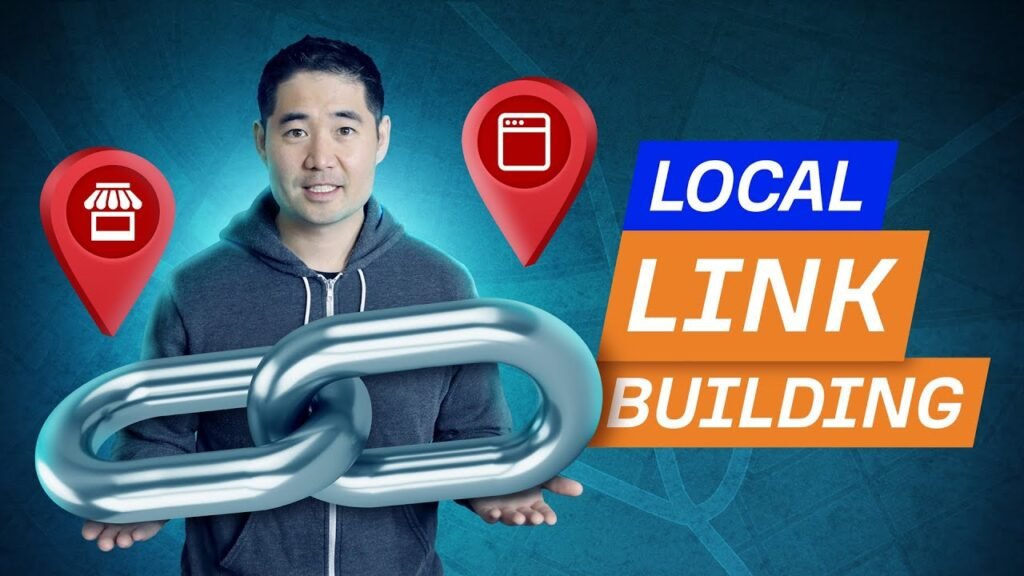
A Step-by-Step Guide to Mastering Local Link Building Considering today’s hyper-competitive SEO landscape, local link building is now an essential strategy for businesses that are targeting a location. Building local backlinks can help a law firm in Chicago, a bakery in Mumbai, or a plumbing company in Sydney be placed locally in local search engines and rankings, as well as Google Maps / local 3-pack results. In this complete, step-by-step guide, you will learn everything you need to know to master local link building in 2025 – from identifying opportunities to securing quality location-specific backlinks. What is Local Link Building? Local link building is obtaining backlinks from websites geographically relevant to you. Local links indicate to search engines that other local organizations, media, and directories vouch for your trustworthiness, meaning there’s a good chance local users will too. Local ‘links’ or ‘local links’ differ in nature from backlinks, to illustrate; they are an effort to tie local relevance rather than ‘topical authority’. Why Does Local Link Building Matter? Google’s local algorithm considers proximity and relevance but also prominence, which is mostly built through backlinks. Here are some benefits of local link building: – Improved visibility into your Google Business Profile (GBP) – Get placed in the local 3-pack – Traffic referrals from relevant local sources in the community – Build trust in your brand in the community – Increase domain authority and/or page relevance Step-by-Step Guide to Mastering Local Link Building Step 1: Optimize Your Google Business Profile Before you begin link building, make sure your Google Business Profile (formerly GMB) is fully optimized. – Fill out all business details– Choose the right categories– Add high-quality images– Collect genuine reviews– Use your correct NAP (Name, Address, Phone) This creates a solid local SEO foundation and enhances the effectiveness of backlinks. Read more: How Small Businesses Can Set Up a Google My Business Profile Step 2: Audit Your Existing Backlinks Use tools like Ahrefs, Moz, or SEMrush to analyze your current backlink profile. – Identify local backlinks you already have– Detect spammy or irrelevant links– Highlight gaps where local authority links could be added Tip: Compare your backlink profile with your local competitors to ind opportunities they’re using. Step 3: Identify Local Link Opportunities Think hyperlocal. You’re not just looking for websites — you’re looking for community connections. Here are key places to find link opportunities: – Local newspapers or blogs– Chambers of Commerce– Local business directories– City event listings– Local colleges and universities– Community resource pages– Sponsorship or donation pages Step 4: Submit to Local Business Directories This is one of the easiest ways to build a strong local link profile. Submit your business to reputable local directories like: – Yelp– Justdial (India)– Hotfrog– Foursquare– Yellow Pages– Local Chamber of Commerce– Industry-specific directories (e.g., LawLink for lawyers) Ensure NAP consistency across all directories to avoid confusing search engines. Step 5: Sponsor or Partner with Local Events or Organizations Sponsorship is a powerful way to earn high-quality backlinks from trusted local domains. Ideas include: – School events– Local sports teams– Charity fundraisers– Conferences or meetups– Local festivals or expos These often come with a backlink to your business from the event or organization’s website. Step 6: Create Locally Relevant Content Build content that speaks directly to your local audience and earns links naturally. Examples: – “Top 10 Coffee Shops in [Your City]”– “[Your City] Plumbing Tips for Monsoon Season”– “A Guide to Pet-Friendly Places in [Your Town]” Outreach to local bloggers or tourism sites who might be interested in sharing your content. Step 7: Get Featured in Local Media PR still works wonders for link building. Pitch your story to: – Local newspapers– Radio station websites– TV channels with online presence– Community bulletin boards Possible story ideas: – A new product launch– A community initiative or fundraiser– Awards your business has received– Expert opinions on local issues Use platforms like Help a Reporter Out (HARO) or reach out directly with a personalized email pitch. Step 8: Leverage Customer and Vendor Relationships Reach out to your partners, suppliers, or loyal customers and ask if they can link to your site: – From a “Partners” or “Vendors We Trust” page– Through testimonials you provide– By guest posting on their local blog or business siteThis strengthens local link signals and relationships at the same time. Step 9: Write Guest Posts for Local Blogs Find and reach out to bloggers or niche sites in your area and offer to write a valuable, original blog post. Tips for success: – Keep it community-focused– Provide practical value or unique insights– Include a contextual backlink to your websiteDon’t make it overly promotional — focus on providing real value. Step 10: Monitor, Measure, and Refine Track your progress using SEO tools and Google Search Console. Key metrics to watch: – Number of new backlinks– Domain authority growth– Local rankings for target keywords– Traffic from referral sources– Performance of specific local pages Continue refining your strategy based on what works best in your specific niche and city. Bonus Tip: Build “Linkable Assets” A linkable asset is a high-value resource that naturally attracts backlinks. Create: – Local data reports or case studies– Downloadable guides (e.g., “Free Wedding Planning Checklist for Delhi”)– Interactive maps or tools (e.g., “Parking Finder in New York City”)– Infographics with local statistics Share them with journalists, bloggers, and local organizations to earn high-quality links. Final Thoughts Local link building is not just about SEO — it’s about becoming a valued part of your community. By building authentic relationships, creating useful content, and showing up where your audience is, you can dominate local search results and grow your business. Whether you’re a startup, a service provider, or a local retailer, this guide offers a blueprint to start building better local backlinks that drive long-term growth.
Keyword Mapping Explained: 10 Step Guide in 2026
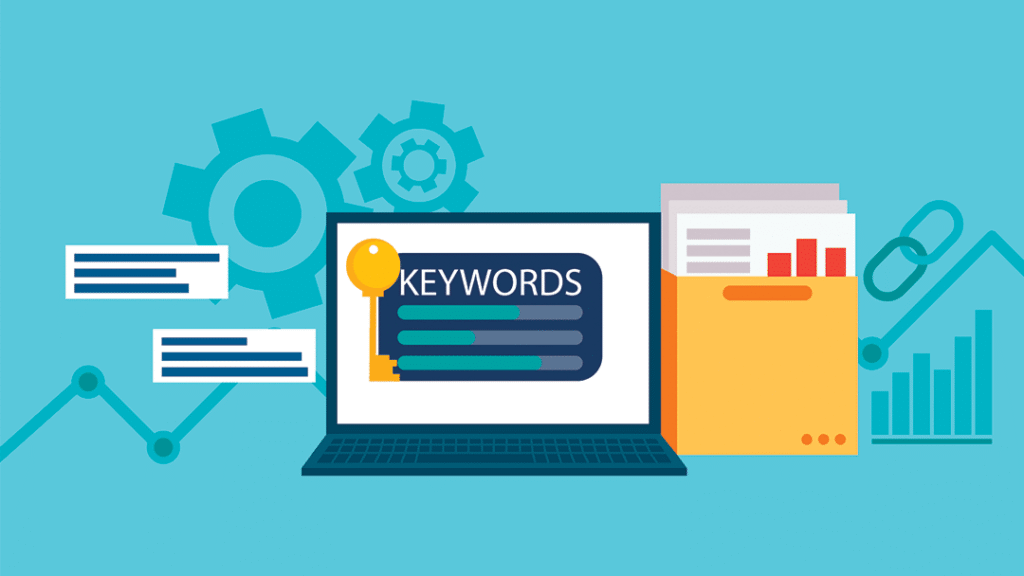
Keyword Mapping Explained: 10 Step Guide in 2026 If you’re serious about SEO in 2026, keyword mapping needs to be part of your strategy. It’s thbridge between your keyword research and content creation — aligning your website pages with the right keywords to improve visibility, drive traffic, and enhance user experience. In this step-by-step guide, we’ll explain exactly what keyword mapping is, why it matters, and how to do it effectively in 2026 using modern tools and techniques. What Is Keyword Mapping? Keyword mapping is the process of assigning target keywords to specific pages on your website based on relevance and search intent. Instead of randomly stuffing keywords across pages, you create a strategic structure where each keyword (or group of keywords) is tied to the content that best satisfies that search query. In simple terms: one page = one primary topic = one main keyword (plus related ones). Why Is Keyword Mapping Important in 2026? The digital landscape is more competitive than ever. With search engine algorithms evolving toward user intent and semantic understanding (thanks to AI and natural language processing), random keyword use just doesn’t cut it anymore. Benefits of keyword mapping: – Prevents keyword cannibalization (where multiple pages compete for the same keyword) – Boosts on-page SEO relevance– Improves site architecture and internal linking– Enhances content planning and topic clustering– Helps Google better understand your site’s structure and authority Keyword Mapping Explained: 10-Step Guide in 2026 Let’s walk through the complete keyword mapping process step by step. Step 1: Conduct In-Depth Keyword Research Use tools like: – Google Keyword Planner– Ahrefs– SEMrush– Ubersuggest– Surfer SEO– ChatGPT (with browsing) Find a mix of: – Short-tail keywords (e.g., “web design”)– Long-tail keywords (e.g., “affordable web design company in Delhi”)– LSI keywords (semantic variations and related terms)Focus on search volume, difficulty, search intent, and commercial value. Read More: SEO Keywords: What They Are, Best Practices, and How to Rank in 2026 Step 2: Analyze Search Intent In 2026, intent is king. You must determine why someone is searching for that term. – Informational: “how to do keyword mapping”– Navigational: “Ahrefs login”– Transactional: “buy SEO services in India”– Commercial: “best SEO agency in Delhi“ Assign each keyword to the appropriate content type: blog, product page, service page, FAQ, etc. Step 3: Audit Your Existing Content Before creating new content, analyze your current pages. Tools like Screaming Frog or Sitebulb can crawl your site and export all your URLs. – Identify duplicate content– Detect low-performing or cannibalizing pages– Group similar content topicsCreate a spreadsheet of URLs and map them against any relevant existing keywords. Step 4: Group Keywords by Topic Instead of mapping each keyword separately, cluster related keywords around a single topic. Example: – Primary: “mobile app development company”– Secondary: “top app developers,” “mobile app services in Delhi,” “hire app developers” This way, you build a topical authority page rather than spreading yourself thin. Step 5: Create a Keyword Mapping Spreadsheet Set up a document to track all keyword assignments. You can use Google Sheets or Excel. Your columns might include: – Page URL– Page Title– Main Keyword– Secondary Keywords– Search Intent– Content Type– Current Rank (optional)– Status (existing / to create / update)This becomes your SEO blueprint. Step 6: Assign Keywords to Pages Logically Now that you have clusters and existing pages listed, assign keywords: – Map one primary keyword to each URL– Ensure no two URLs are competing for the same main keyword– Assign related/secondary keywords where appropriate– Keep the user intent aligned between keyword and content Step 7: Identify Content Gaps Your mapping sheet will expose missing pages or untapped keyword opportunities. Example: If you have a keyword like “progressive web app development” and no page targeting it, that’s a gap. Plan to create a blog or service page around it. Tools like AnswerThePublic or AlsoAsked.com can help expand topic clusters. Step 8: Optimize Pages Accordingly Once mapping is done, start optimizing content: – Use the primary keyword in title, H1, meta description, first 100 words, and URL– Sprinkle secondary keywords naturally– Use schema markup, internal links, and structured content– Improve readability and user experience– Add media (images, videos, infographics) Remember, it’s not just about keywords — content must satisfy user intent fully. Step 9: Build Internal Links Based on Keyword Themes Your keyword map allows you to create strategic internal links between related pages. Example: Your blog on “Benefits of mobile apps” can link to your “Mobile App Development Services” page using contextual anchor text. This strengthens topical clusters and improves crawlability. Step 10: Monitor and Update Regularly Keyword mapping isn’t a one-time task. Review your map every 3–6 months: – Add new keywords– Reassign outdated ones– Optimize declining pages– Adjust based on Google algorithm updates or industry shifts Use tools like Google Search Console and Ahrefs to track performance. Bonus Tip: Use AI for Smarter Keyword Mapping In 2026, AI-assisted SEO tools like Surfer, Clearscope, and even ChatGPT can: – Suggest keyword clusters– Identify intent– Recommend headings and content structure– Auto-generate keyword maps from website audits Take advantage of these to save time and improve accuracy. Final Thoughts Keyword mapping is foundational to SEO success. It ensures your website is organized, intentional, and optimized for both search engines and users. In a world where content is exploding and competition is intense, the brands that map smartly will win. Whether you’re an SEO expert or a small business owner, mastering this 10-step keyword mapping process in 2026 will help you dominate the SERPs, drive more traffic, and convert better.
Soft 404 Errors: What They Are, How to Find & Fix Them
Soft 404 Errors: What They Are, How to Find & Fix Them In the world of SEO and website optimization, maintaining a healthy and user-friendly website is critical. One issue that often confuses website owners and marketers is the Soft 404 error. While it sounds technical, it’s important to understand and address these errors, as they can significantly affect your site’s performance in search engines. In this blog, we’ll break down everything you need to know about soft 404 errors — what they are, why they matter, how to detect them, and most importantly, how to fix them. What Is a Soft 404 Error? A soft 404 error occurs when a webpage displays a “not found” message (or lacks meaningful content) but returns a 200 OK HTTP status code instead of the correct 404 or 410 code. In simple terms, your server tells browsers and search engines that the page is working fine (200 OK), even though the content says the page doesn’t exist or is empty. Example: Imagine visiting a broken link on a website, and instead of getting a proper “404 Not Found” error page, you’re redirected to a generic page with a message like “Page Not Found” — but the server still returns a 200 status. That’s a soft 404. Why Are Soft 404 Errors Bad? Soft 404 errors can confuse search engines like Google. Since the page returns a 200 OK response, Google assumes the page is valid and tries to index it. However, because the content is missing or meaningless, this wastes your site’s crawl budget and may result in low-quality pages being indexed. Here’s why this is problematic: – Hurts SEO rankings by diluting your site’s quality score. – Wastes crawl budget, which could be spent crawling and indexing more valuable content. – Frustrates users, as they may land on pages that appear broken or unhelpful. – Skews analytics, making it difficult to accurately measure engagement or identify real broken links. Common Causes of Soft 404 Errors Soft 404s can arise for several reasons. Here are some of the most common: 1. Empty pages with little or no content. 2. Deleted pages that redirect to the homepage or another irrelevant page. 3. Typo-filled URLs that lead to a generic “Page not found” message without a proper 404 code. 4. Product pages for out-of-stock or discontinued items that still return a 200 status. 5. Thin content pages that lack sufficient value or are flagged by Google as unhelpful. How to Find Soft 404 Errors There are a few reliable ways to detect soft 404 errors: 1. Google Search Console The most effective tool is Google Search Console. – Go to the Pages report under the Indexing section. – Look for the “Soft 404” category. – Google will list all the URLs it thinks should return a proper 404 error instead of a 200. 2. Crawling Tools (like Screaming Frog, Sitebulb, etc.) Use a website crawler to analyze your site’s pages and HTTP response codes. – Identify URLs that are returning a 200 status but have titles like “Page Not Found” or contain very little content. – You can configure crawlers to flag low word count pages or duplicate pages, which often coincide with soft 404s. 3. Manual Checks Try entering incorrect or outdated URLs on your own website and observe the server response (using browser developer tools or tools like https://httpstatus.io/ How to Fix Soft 404 Errors Fixing soft 404 errors involves ensuring your website returns the correct HTTP status code and provides a helpful user experience. Here are the most common ways to fix them: 1. Return Proper 404 or 410 Status Codes If a page no longer exists, configure your server to return: – 404 Not Found: If the page was removed or the URL is incorrect. – 410 Gone: If the page is permanently removed and will never return. This tells search engines clearly that the page is gone, helping them de-index it appropriately. 2. Redirect to Relevant Pages (Using 301) If the removed page has a relevant alternative, implement a 301 redirect to point users and search engines to the new page. Do not redirect all broken pages to your homepage — that’s one of the most common causes of soft 404s. Redirect only to relevant content. 3. Improve Content on Thin Pages If the soft 404 is triggered because a page has very little or no content (like an empty product page), consider: – Adding relevant content, images, and meta data. – Hiding or deindexing the page until it’s ready. – Marking it as “Out of Stock” with useful suggestions for alternatives, rather than leaving it empty. 4. Customize Your 404 Page Ensure that your website displays a custom 404 page for truly broken links. This page should: – Explain the error in plain language. – Include navigation options back to the homepage or relevant categories. – Use the correct 404 status code. – Offer a search bar to help users find what they need. 5. Fix Internal Linking Issues If your internal links point to pages that no longer exist, fix or remove those links. This not only reduces soft 404s but also improves user experience. Best Practices to Avoid Soft 404 Errors – Regularly audit your website for broken or low-value pages.– Avoid redirecting all deleted pages to your homepage.– Always provide value on every page — even if a product is out of stock.– Monitor Google Search Console frequently.– Use server logs to identify common 404 or malformed URL requests. Conclusion Soft 404 errors might seem like a minor technical detail, but they can have a major impact on your site’s SEO and usability. Search engines depend on correct status codes and meaningful content to evaluate and rank your pages. If you’re unknowingly serving empty or broken pages with a “200 OK” response, it’s time to clean things up. By regularly auditing your website and properly handling non-existent or low-quality pages, you’ll not only improve your SEO performance but also deliver a
How Small Businesses Can Compete with Big Brands in Google Ads
How Small Businesses Can Compete with Big Brands in Google Ads Digital platforms like Google Ads are becoming one of the most effective ways to drive traffic, and leads or sales. Competing on the same digital space, when you are a small business with a limited budget will feel like a daunting task, since you are competing against larger brands with larger budgets, but with strategy, you can absolutely compete (and win). Small businesses can put themselves next to an established brand on a search result page with audience targeted ad groups and compelling messaging, all while getting valued customers on their search for a solution for their needs. The following are actionable things that small businesses can do in Google Ads to help their business become a more competitive player. 1. Focus on Long-Tail Keywords Big brands often target broad keywords like “shoes” or “insurance,” which are expensive and highly competitive. Instead, as a small business, concentrate on long-tail keywords such as “small business health insurance in Delhi” or “affordable running shoes for flat feet.” These keywords: – Have lower competition– Are cheaper per click– Attract more qualified traffic Pro Tip: Use tools like Google Keyword Planner or Ubersuggest to find long-tail keyword opportunities with good search volume and low CPC. Leverage Local Targeting You don’t need to dominate globally to win locally. To display your ads to people in particular areas—your city, neighborhood, or service radius—use geo-targeting. Benefits: – You reach people more likely to convert– You avoid wasting budget on irrelevant clicks– You gain an edge over big brands that may not be targeting local areas as precisely Example: Instead of targeting “mobile repair,” use “mobile repair shop in Connaught Place, Delhi.” 2. Set Clear, Smart Budgets You can’t match a big brand’s budget—but you don’t need to. Instead: – Begin by setting a daily spending limit that you can manage. – Pay attention to high-intent terms (such as “buy,” “near me,” and “get quote”).– Monitor and adjust your cost-per-click (CPC) regularlyPro Tip: Allocate more budget to your best-performing campaigns rather than spreading it thin. 3. Create Highly Relevant Ad Copy Generic ads won’t cut it. Your ad copy should speak directly to your audience’s needs. Highlight: – What makes your business unique– Local references– Any special offers, guarantees, or fast delivery ? Example: “Need a Website Fast? Delhi’s Trusted Web Design Experts Jaimru Technology– Call Now for a Free Quote!” This not only grabs attention but builds trust and relevance instantly. 4. Use Ad Extensions to Maximize Visibility At no additional expense, ad extensions allow your adverts to occupy more space in search results. Utilize: – Call extensions (make it easy to call you)– Location extensions (great for local credibility)– Sitelink extensions (send users to key pages like “About Us” or “Testimonials”)These make your ad more clickable and trustworthy—giving you an edge, even against bigger brands. 5. Optimize Landing Pages for Conversions Even the best ad won’t perform if your landing page is weak. Ensure your landing page: – Loads fast (especially on mobile)– Matches your ad message– Has a clear call to action (CTA)– Includes trust elements (like reviews, badges, or certifications) Bonus Tip: Tools like Google Optimize or Hotjar can help you test and improve landing page performance. 6. Start Small, Test, and Scale Don’t aim to be perfect from day one. Start with a few focused campaigns and: – Test different headlines, keywords, and offers– Use A/B testing to see what works– Watch metrics like CTR, Quality Score, and conversion rate Once you find winning ads or audiences, scale those campaigns slowly and smartly. 7. Use Negative Keywords Wisely Your advertisement won’t appear on irrelevant searches if you use negative keywords. For instance, you might wish to omit terms like “cheap” or “free” if you sell high-end goods.” This saves budget and ensures your clicks are relevant. Don’t ignore this! It’s one of the easiest ways to reduce wasted ad spend. 8. Take Advantage of Remarketing Remarketing allows you to show ads to people who have already visited your website. Due to their familiarity with your company, these users are more inclined to convert. Whether you are simply showing them a discount, reminding them a product they viewed, or adding any additional awareness stage in their mind, remarketing gives small businesses a second opportunity to make the sale. 9. Highlight What Big Brands Can’t Small businesses can sometimes provide more advantage on: – Personal service– Local knowledge– Speed of response– Connection to their community Make sure your ads and landing pages promote this feature. People love doing business with businesses the feel human. Final Thoughts Competing with big brands on Google Ads isn’t about outspending them—it’s about outsmarting them. With the right strategy, keyword targeting, ad copy, and optimization, your small business can stand out in the search results and attract high-quality leads. Remember: Every click is a chance to tell your story. So make it count. About Us Jaimru Technology Private Limited is a leading digital marketing and website design agency based in Delhi. We help small businesses grow online through smart strategies, powerful design, and results-driven campaigns.
05 Website Design Trends That Will Dominate in 2026

05 Website Design Trends That Will Dominate in 2026 In an increasingly digital world, your website is usually the first and most important touch point or interaction point with a potential customer. You only get one chance to make a strong first impression and it lasts literally seconds! Heading into 2026, the digital world is making rapid changes. Web design is not just about how good something looks anymore; it’s about how fast, smart, functional, and personal your site is across different devices. As a business owner, designer or developer it’s imperative to stay on top of current emerging trends in web design. No longer is this simply a benefit, being informed and understanding how design influences user behavior, conversion, and brand value is crucial to stay relevant and competitive. Let’s look at the 5 key website design trends that will impact the web in 2026, and discuss how you can take your site and your website and design to the next level. Websites will begin to utilize AI in a more sophisticated way, and more regularly, to tailor real-time experiences to users. For example, product recommendations based on user behavior, changes of layout depending on browsing habits and chatbots that simulate human-like support instantly. Why This Matters: Personalization is important for engagement. A website that can recognize what your user wants–and presents it to them without forcing them to search for it, a website that can help you convert. Evidence shows that personalization can increase conversion rates by up to 202%. The winners online will not just be automated by AI in 2026, they should delight. In 2026, you’ll see more websites embracing full dark mode interfaces, not just as a design preference but for usability and accessibility reasons. Dark mode reduces eye strain, improves content readability in low-light environments, and can even help save battery life on OLED screens. Tip for Designers: Don’t just design your site in one color scheme. Build both light and dark theme versions and give users the ability to toggle between them. This improves user experience and gives visitors more control. Similar to gamification, like we discussed above, motion UI is about storytelling as well when used effectively; it won’t overwhelm the user with animations, rather it is used as a supporting element. A button animation, for example, could reveal to a user something, like a successful transaction to the shopping cart. A scroll-driven animation could highlight key features of a product, as the user scrolls down the page. What to Look For in 2026: When implemented thoughtfully, these elements make websites feel responsive and modern—improving both aesthetic and usability. Voice search optimization is beyond being an SEO strategy; it’s an entire think-in-the-voice way to develop sites that can respond appropriately to natural language queries. This means you need to make conversational content in a question form, and use schema markup so search engines understand your content and can present your content in a better manner. SEO Insight: Focus on these elements for voice search readiness: This trend highlights the shift from typing to talking—and the smartest brands will start adapting now. Bold fonts, vibrant contrast, and spacious layouts create an immediate impression and communicate your brand message quickly. Whether it’s a call-to-action or a value proposition, bold type ensures your message doesn’t get lost. Pro Tip: Minimal design doesn’t mean boring. Use oversized fonts, bright background contrasts, and eye-catching headlines to draw attention, then balance it out with whitespace and simple navigation. Final Thoughts: Designing for the FutureWeb design in 2026 is all about intelligence, adaptability, and emotional connection. It’s no longer enough for a website to simply look modern—it must serve the user efficiently, speak to them personally, and adapt to their preferences in real-time. As technology evolves and user expectations rise, the best websites will focus on: By embracing these five trends—AI personalization, dark mode, motion UI, voice search optimization, and bold minimalism—you can future-proof your website, delight your users, and stay a step ahead of your competition. About the AuthorJaimru Technology Private Limited is a top-rated website designing company based in Delhi, India. We specialize in creating responsive, high-performance websites that blend creativity with technology. Whether you’re looking to launch a new website or revamp an existing one, our expert team is here to bring your digital vision to life.
Digital Marketing Agency for Small Businesses
Digital Marketing Agency for Small Businesses In today’s increasingly digital-first world, an online presence makes or breaks your business — a major challenge for small businesses. With limited time, resources and people, there is a lot for small businesses to keep up with, including marketing trends and tactics, search engine algorithms, social media, and paid advertising. That can be handled easily with a small business digital marketing agency in Delhi. Finding the right agency can greatly enhance your visibility, bring you the right audience, and ultimately increase your revenue— without you having to be a digital expert overnight. Why Small Businesses Need Digital Marketing Although corporations may have the resources and the expense accounts required to spend effectively and have a marketing department to spend it, small business owners work with smaller teams and budgets. Nevertheless, new and imaginative online marketing methods make it easier than in the past for small businesses to compete. A small business can no longer afford not to use digital marketing. Here are just two reasons why. 1) Cost-Effective: Online marketing channels are easier to measure ROI for than offline advertising.2) Highly Targeted: You can target your ideal customer by demographic data, interests, and behavior.3) Trackable and Scalable: You receive real-time data and can scale your campaigns to suit your expanding business What Does a Digital Marketing Agency Do for Small Businesses? A digital marketing agency for small businesses provides strategic, creative, and technical support to help you grow online. The right agency becomes your extended team, helping with services such as: 1. Website Design & Optimization Your website is the digital storefront of your brand. A good agency ensures it: 2. Search Engine Optimization (SEO) Ranking on Google can significantly increase your visibility and credibility. Agencies help by: 3. Google Ads & Pay-Per-Click (PPC) Google Ads can generate quick leads, but only if done right. Agencies help you: Track conversions and ROI 4. Social Media Marketing Engaging on platforms like Instagram, Facebook, and LinkedIn helps build relationships with your audience. Agencies handle: 5. Content Marketing From blog posts to videos and infographics, agencies can create valuable content that positions your brand as an expert in your field. 6. Email Marketing & Automation Stay top-of-mind with your customers through targeted email campaigns. Agencies help build email lists, design newsletters, and set up automated workflows. 7. Branding & Strategy Beyond execution, a great agency works with you to define your brand voice, tone, and long-term marketing goals. How Digital Marketing Helps Small Businesses Compete You may be asking yourself, how can a local or smaller brand compete with larger online competitors? The truth is, digital marketing provides the opportunity to be faster, more personal and closer to competitors than many large brands are. Here’s how: Not all agencies are built the same. When you’re a small business owner, you need more than flashy presentations—you need results, accountability, and clear communication. Here’s what to look for: Choose an agency that understands the challenges of small business growth and has a proven track record with similar clients. Avoid one-size-fits-all packages. Your business has unique goals and needs a tailored approach. Make sure you understand what’s included and avoid hidden charges. Many agencies offer flexible monthly plans for small businesses. The agency should provide regular reports and updates. Look for one that values collaboration and transparency. Even if you don’t need all services today, having access to SEO, web design, PPC, and content creation under one roof is ideal as you grow. Why Choose Jaimru Technology? Jaimru Technology Private Limited is located in Delhi, and we excel at making small businesses digital. We have helped many startups, local service providers, and SMEs, in many different sectors build online marketing plans with noticeable effects. What sets us apart? Whether you’re looking to revamp your website, rank higher on Google, or run effective social media campaigns, our team is here to help you compete—and win—online. Final Thoughts Hiring a digital marketing agency for small business is probably one of the greatest investments you can make. It makes it possible to save time, get expert knowledge, and establish a foundation for growth. In the digital world we live in, visibility is crucial, and a good digital marketing agency can help you to be seen, heard, and remembered. Don’t let limited resources stop you from creating big success.
15 Must-Have Features of Ecommerce Websites

In today’s digital shopping world, it’s simply not enough to have an eCommerce website, it has to work, easy to use, safe and convert. Whether you’re building a brand new online store or improving on an existing one, the 15 features below are definitely required to make each shopping experience seamless and enjoy the benefits of long-term success. 1. User-Friendly Design First impressions are important. A good clean design, with an understanding of usability and easy navigation will help your visitors find what they are looking for quickly. Use categories, filters, and a logical layout. Mobile responsiveness is important too: over 60% of ecommerce traffic is now mobile. Tip: Use clear CTAs (Call-to-Actions) like “Add to Cart,” “Buy Now,” and “View Product” to guide users through their shopping journey. 2. Secure and Multiple Payment Options Trust is essential in any and every shady transaction that happens on the internet online! Your site must have secure payment gateways (like Stripe, Razorpay, PayPal) SSL and an assurance of security. Also, allow customers the flexibility to choose their form of transaction; credit/debit cards, UPI, net banking, wallets or even Cash on Delivery. 3. Advanced Product Search & Filters As the range of your products increases, users will need powerful tools to find exactly what they want. Consider a robust search function with auto-suggestions, and filters by size, color, price, brand, rating, etc. This definitely improves user experience and will reduce bounce rates. 4. High-Quality Product Images & Videos Since users can’t physically see or touch products, visuals matter more than ever. Use multiple high-resolution images from different angles and consider 360-degree views or demo videos. Also, include zoom functionality for better detail. 5. Detailed Product Descriptions Clear, informative, and SEO-friendly product descriptions help customers make informed decisions. Include product specifications, sizing charts, materials, usage tips, and benefits. The better the content, the fewer return requests you’ll get. 6. Customer Reviews & Ratings Social proof significantly influences buying behavior. Allow users to leave product reviews and ratings. Displaying authentic customer feedback builds trust and helps others make confident purchases. 7. Cart & Wishlist Functionality A shopping cart is standard, but a wishlist lets customers save items for future consideration. This feature encourages return visits and increases conversion opportunities. Make sure the cart is easily accessible from any page. 8. Guest Checkout Option Forcing users to create an account can be a conversion killer. While account creation is useful for customer retention, offer a guest checkout option for first-time or hurried shoppers. Make the checkout process fast and simple. 9. Order Tracking & Management Whenever a customer places an order, they expect to be informed of its status. Give them the ability to track orders in real-time, and give them the option for email/SMS updates. You may also want to create a simple dashboard for each user to see their past orders, invoices, and delivery statuses. 10. Mobile Responsiveness With the rise in smartphone shopping, your ecommerce site must be fully responsive. It should function seamlessly across all screen sizes without compromising usability, speed, or design. 11. Fast Page Load Speed Not only is speed a ranking factor, it is also a conversion factor. If there is even a 3 second delay to load your checkout page, consumers will abandon the cart. Optimize your images, get a good hosting provider, implement caching, and minimize scripts in order to keep your load times under 3 seconds. 12. SEO-Friendly Structure No one can buy your product if they can’t find your website. Follow SEO best practices and use clean URLs, keyword-rich product titles, meta tags and on-page SEO, fast-loading pages, schema mark-up, and sitemaps to enhance your search visibility. 13. Return & Refund Policy A clear, fair, and easily accessible return policy builds buyer confidence. Outline time limits, return conditions, and the refund process. Make sure customers understand the policy before completing a purchase to reduce post-sale issues. 14. Live Chat or Chatbot Support Customers often have questions before purchasing. Integrate live chat support or an AI-powered chatbot to assist in real-time. This increases customer satisfaction and can directly lead to more conversions. 15. Analytics & Reporting Tools To grow your ecommerce business, you must understand your customer behavior. Integrate tools like Google Analytics, Facebook Pixel, or inbuilt reporting features to track sales, traffic sources, product performance, and user interactions. Bonus Tips: Social Sharing Buttons: Let users share products with friends via WhatsApp, Facebook, etc. Email Opt-in Popups: Build your email list for future campaigns. Loyalty Programs & Discounts: Encourage repeat purchases with reward points or coupon codes. Final Thoughts While your ecommerce website is a website, it is also an experience. These 15 critical features can not only help you convert visitors to customers, it can help you develop a trusted brand that customers come back to. Like all things, the easier and enjoyable the shopping process is, the higher likelihood you’ll get noticed. If you’re building or upgrading an ecommerce website, and would like to add all of these features, finding an agency that can do all of this, can change the game.